
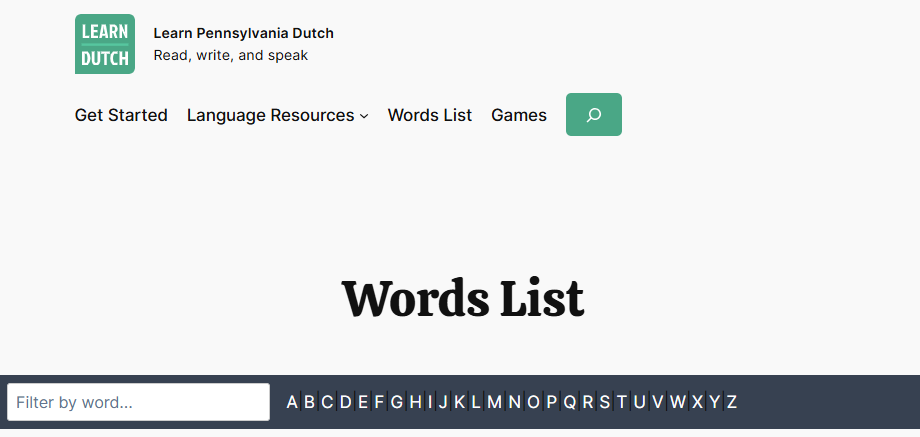
Want to find a word on The Words List without a lot of scrolling?
There are 2 features:
- Use the alphabet navigation bar at the top of the page to jump to the first letter of the English word.
- Use the in-page word search (Filter by word…) to filter out and show you only the words you are searching for, as you type.
The Filter by word search was first released a little over a year ago along with other new features. The original version got the job done, but it was pretty slow filtering out the 700+ words.

This week, I did some fine-tuning with help of AI. It helped me find what was slowing down the search. Now, the in-page search is much faster to use; even on mobile devices.
This makes it the quickest way to find exactly what you are looking for.
How it works
- Tap or click on the text box (Filter by word…)
- Start typing the word you’re looking for.
Filter by word will start removing every word entry that does not match what you’re looking for. - No need to tap Enter on your keyboard or click a search button.
It searches as you type. - You will see the words that match you’re looking for below.
What makes it useful
- You don’t have to know exactly how to spell a word
- Use it to find both English and Pennsylvania Dutch words
- It searches the definitions, explanations, and example sentences of word listings
- Quickly reset and clear out your word by tapping the × in the Filter by word search box
- Update: Now in-page search and alphabet navigation follow you as you scroll down the page
Give the in-page search a try, even if you’ve tried it before.